Equipment and operating context
Define the equipment, measurement points, signals, operating conditions and failure signatures that bound the diagnosis.
PRODUCTS & TECHNOLOGY
From sensors to maintenance agents, combine products and capabilities to connect data acquisition, expert diagnostics, and field action.
AURA
Capture temperature, vibration, and current measurements to support condition trends and fault analysis.
Interfaces and functionality depend on the model, configuration, and project.
Discuss a suitable configurationCONFLUX
Connect sensors to existing automation, execute configured local logic, and provide equipment status and alarms to PLC/DCS systems.
Interfaces and functionality depend on the model, configuration, and project.
Discuss a suitable configurationEUDA
Bring analysis and diagnostic rules together with work orders and maintenance records.
Features are selected for the deployment and connected to your maintenance workflows.
Discuss a suitable configurationAGENT
Combine equipment physics and language models to connect analysis, field verification, reporting, and reusable maintenance knowledge.
Workflows depend on the project. Field verification and acceptance remain assigned to the relevant personnel.
Discuss a suitable configuration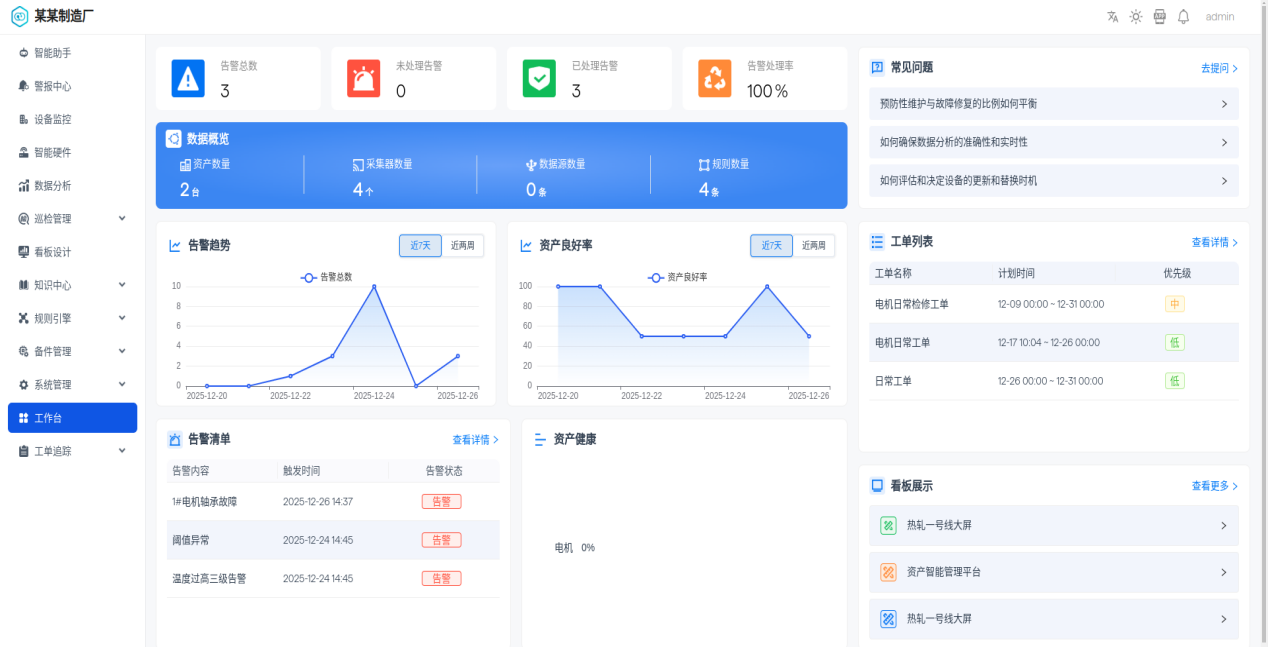
Equipment diagnostic knowledge & rule packages
Diagnostic knowledge and rule packages form part of Euda’s analysis and diagnostic deliverables, configured for each project. Rules define conditions, algorithms supply evidence, and Agent assists information handling and workflow coordination. People verify the outcome.
Define the equipment, measurement points, signals, operating conditions and failure signatures that bound the diagnosis.
Configure conditions, algorithm parameters, alarm outputs and data sources; visually compose, deploy and reuse templates.
Use trends, spectra and other analysis to produce fault indications and maintenance recommendations for verification.
Tune parameters to actual conditions and refine knowledge using maintenance feedback. Update scope is agreed for the project.
Delivery can combine core software capabilities, equipment diagnostic rule packages, and field adaptation with ongoing updates. Equipment coverage, validation conditions and service scope are defined for each project.
Download the LinkedTi brochure (Chinese PDF)Rules and models require validation for the actual equipment, measurement points and conditions. Agent supports workflow coordination. PLC / DCS systems and configured local logic execute equipment control.
Connect diagnostic findings to action, and let each field confirmation inform the next maintenance decision.
Rules and models require validation for the actual equipment, measurement points and conditions. Agent supports workflow coordination. PLC / DCS systems and configured local logic execute equipment control.
LET’S CONNECT